Goalite for Claude
Connect your Goalite account to Claude and turn strategic goals into measurable outcomes — all through natural language. The Goalite MCP integration for Claude is coming soon.
Don’t have a Goalite account? Sign up freeClaude only accesses your Goalite data when you explicitly ask. Nothing is read or modified in the background.
Capabilities
What Can Claude Do With Goalite?
Once connected, Claude can read and update your Goalite data on your behalf. Here’s everything that’s available.
Goals
- View, create, update, and delete goals
- Set goal due dates, targets, and descriptions
Milestones & Steps
- View, create, update, and complete milestones
- Manage steps within a goal and mark them complete
Habits
- View, create, and update habits
- Log completions and view streaks
- Review habit history and version changes
Dreams
- View and manage your dreams
- Link goals to dreams for a bigger picture
Daily Activity
- See today's steps, milestones, and habits due
- Stay on top of what matters right now
AI Planning
- Generate milestone and step plans for draft goals
- Break big ambitions into actionable next steps
Try It
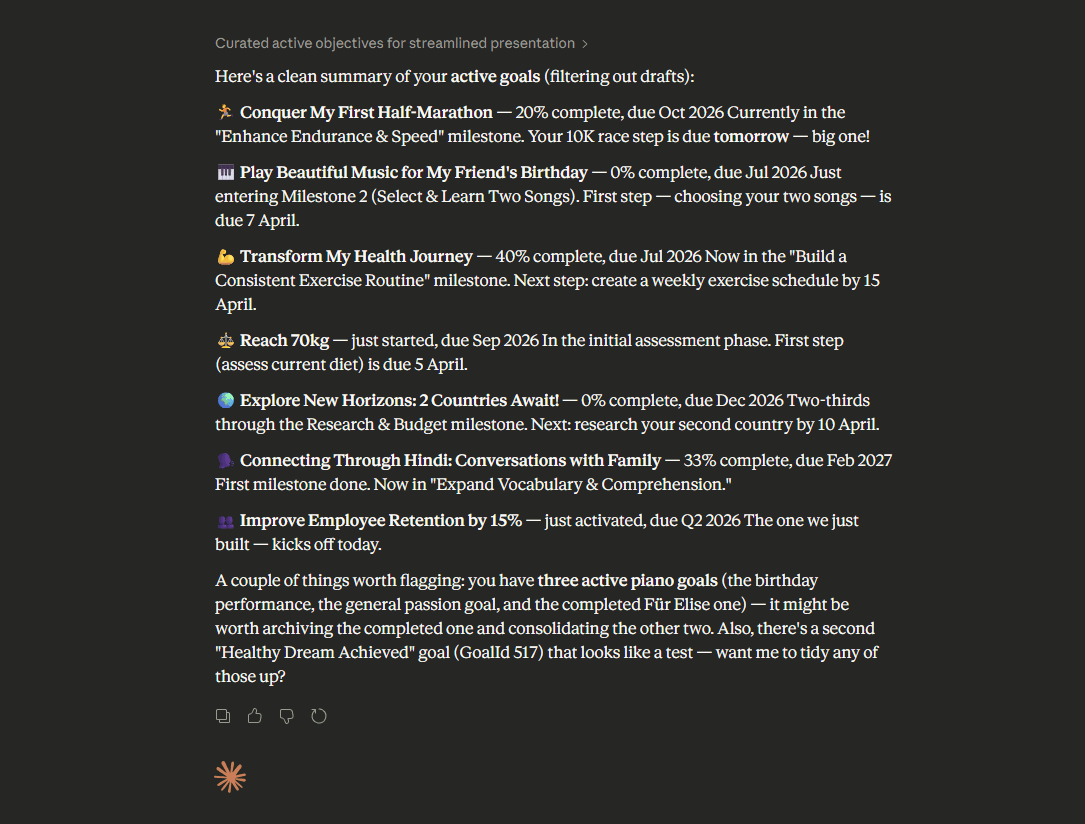
Try Asking Claude…
Use everyday language. Claude understands your intent and translates it into the right Goalite actions.
Setup Guide
How to Connect Goalite to Claude
It takes less than a minute. Follow these five steps and you’re set.
Open Claude Settings
Head to claude.ai and navigate to Settings → Integrations.
Add the Integration
Click Add Integration and search for Goalite.
Connect
Click Connect — you'll be redirected to app.goalite.com to log in and authorise.
Authorise Access
Review the requested permissions and grant access from your Goalite account.
Start Using It
You'll be returned to Claude with the connection active. Ask Claude anything about your goals!
Permissions
What Access Does the Integration Require?
Goalite requests only the permissions it needs. You can revoke access at any time from app.goalite.com → Settings → Connected Apps.
| Scope | What It Allows |
|---|---|
goalite:read | Read your goals, habits, milestones, steps, dreams, and profile |
goalite:write | Create and update goals, habits, milestones, steps, and habits |
Troubleshooting
Common Questions
Privacy & Data
Your Data, Your Control
Ready to Turn Strategic Goals Into Measurable Outcomes?
Connect Goalite to Claude and start using natural language to create goals, track habits, and plan your next big win.